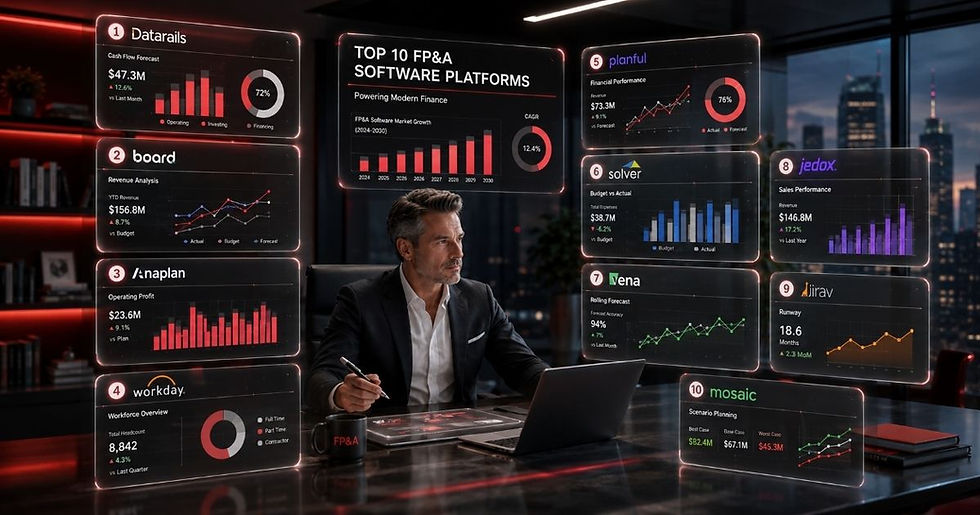
Best FP&A Software for Small Businesses

The best FP&A software for small businesses helps automate budgeting, forecasting, financial reporting, and data analysis without adding unnecessary complexity or cost. This guide compares the best FP&A software for small businesses based on ease of use, implementation time, AI capabilities, integrations, and customer feedback to help you choose the solution that best fits your finance team's needs.
Why FP&A Software Is Essential for Small Businesses
FP&A software has become essential for businesses of every size, not just the large corporations that first popularized financial planning and analysis. FP&A teams historically operated as a separate department, largely confined to well-established enterprises.
That's no longer the case.
Today's FP&A professionals are expected to play an active role in business decisions, coordinating with teams across the entire organization rather than staying confined to the finance department.
Companies are also growing faster than ever, which makes it increasingly important to track global metrics and trends in real time.
Perhaps the biggest driver of change is the sheer volume of data companies now have to manage. Roughly 402 million terabytes of new data are generated every day, fueled by online activity, connected devices, business operations, and AI applications. Global data volume is climbing by about 23% each year, meaning the total amount of data in the world nearly doubles every three years.
Keeping pace with this rate of data growth is virtually impossible without the right technology, regardless of a company's size.
Automation plays a critical role here. Despite advances in finance technology, reporting still consumes a significant share of the workweek. Research from AFP and APQC found that FP&A professionals spend only 25% of their time on actual data analysis, while data collection (42%) and administrative tasks (33%) take up the rest. A separate study found that 52% of finance professionals spend roughly one full day each week preparing financial statements, and 49% cite manual processes as the biggest barrier to improving performance.
This is exactly the gap FP&A software is built to close. By automating data collection and generating real-time financial dashboards, FP&A solutions help finance teams uncover trends, sharpen budgeting and forecasting, and support faster, more confident business decisions.
For all of these reasons, small businesses and startups alike are increasingly adopting FP&A solutions to keep pace with larger, better-resourced competitors.
How to Choose the Best FP&A Software for Small Businesses
While most FP&A solutions cover similar core ground, small businesses and startups need to be more selective than large enterprises when choosing FP&A software.
Time and pressure: Startups and small businesses face day-to-day constraints that larger companies rarely have to think about, whether that's pressure from investors to grow quickly or internal pressure to stay ahead of the competition.
Budget: FP&A software can carry a hefty price tag, so finding affordable FP&A software that still delivers real value is often a genuine challenge for small businesses working with a tight budget.
Buy-in: Convincing leadership or investors that FP&A software is worth the investment isn't always easy. The goal is finding a solution that's priced right, fits the company's needs, and delivers ROI from FP&A software sooner rather than later.
With these considerations in mind, our team at The Finance Weekly compiled a list of the best FP&A software for small businesses, drawing on customer feedback, independent research, and reviews from numerous third-party sites. Extra weight was given to the factors small businesses tend to prioritize most: implementation time, and how quickly a platform delivers ROI.
Looking for the best overall FP&A software solutions for companies of every size? Check out our full report here.
Best Software Solutions for Small Businesses
#1 Datarails

Datarails ranks as the best FP&A software for small and mid-sized businesses alike. It's a financial planning and analysis platform built to automate the time-consuming manual work behind financial reporting and planning. With all of a company's data consolidated in one place, this user-friendly FP&A software frees finance teams to spend more time analyzing data and less time gathering it.
Datarails is also one of the most competitively priced platforms on this list, and it's unique in letting finance teams keep working in the Excel-based spreadsheets and financial models they already know, without having to learn an entirely new system.
The result is fast FP&A implementation, typically just 6 to 10 weeks, along with strong ROI right out of the gate. Datarails helps organizations answer essential strategic questions, such as how to increase revenue and cut expenses.

Datarails Fun Fact
Datarails has earned a spot on Inc. magazine's 2026 Inc. 5000 list, marking its fourth consecutive year among the fastest-growing private companies in the United States.
This recognition places Datarails alongside well-known names that have appeared on the Inc. 5000 over the years, including Microsoft, Meta, Oracle, and Patagonia.
Behind that growth are more than 2,000 finance teams using Datarails to eliminate repetitive work and focus on strategic analysis instead. Tasks that once took weeks, such as collecting, consolidating, and preparing financial data, can now be completed in minutes. By unifying financial and operational data into a single trusted layer, FinanceOS gives finance teams consistent, governed, and auditable data for both reporting and AI-powered workflows. As demand for AI grows within the CFO's office, this trusted data foundation lets organizations use AI with greater confidence, knowing every output is built on accurate, repeatable, well-governed financial information.
Datarails AI
Datarails Genius is a generative AI assistant built on the company's unified finance data environment, spanning FinanceOS, FP&A, and Connect. Rather than relying on disconnected spreadsheets, it draws on governed financial data to generate analyses, written summaries, charts, and other outputs. Finance teams can also configure KPIs, reporting schedules, and recipient lists to automate the delivery of insights.
The platform includes three core AI capabilities:
Insights automatically produces recurring financial summaries and analytical reports.
Storyboards turns financial data into presentation-ready narratives, charts, and visual reports.
Chat lets users ask natural-language questions about budgets, forecasts, spending, and variance analysis, with answers pulled from the organization's centralized financial data.
Additional Pros:
Lets finance teams keep working in Microsoft Excel, easing adoption by building on familiar spreadsheets and existing workflows.
Brings financial and operational data together into one trusted source, improving data consistency, version control, and auditability across the organization.
Reduces manual effort by automating recurring tasks such as data imports, consolidations, and reporting.
Supports scenario planning, so finance teams can model multiple outcomes, evaluate risk, and prepare for changing business conditions.
Connects with major ERP, CRM, and financial systems, cutting down on manual data movement and improving reliability.
Offers flexible financial dashboards and reports that can be tailored to different departments, executives, and stakeholders.
Strengthens governance with role-based permissions, audit logs, and built-in compliance controls that protect sensitive financial information.
Cons:
User licensing can drive up costs, especially for organizations that need to share reports with a wider group of stakeholders.
Collaboration can require extra steps, since users without full access may face limitations reviewing or contributing to reports.
Proprietary formulas introduce a learning curve, requiring users to get comfortable with Datarails-specific functions beyond standard Excel formulas.
Model maintenance takes care, since complex formulas and workbook structures can be difficult to troubleshoot if modified incorrectly.
#2 Prophix

Prophix is a cloud FP&A software platform that combines budgeting, forecasting, reporting, and financial consolidation within a single SaaS environment. Powered by Prophix One Intelligence, it streamlines data preparation, flags unusual trends, and delivers AI-driven insights to support business decisions. With integrated workflows, enterprise-level security, and connections to key business systems, Prophix helps finance teams collaborate more effectively, speed up planning and reporting, and spend less time managing spreadsheets.
The platform also integrates with Microsoft 365 and Power BI, letting teams keep using familiar tools while managing planning from a centralized environment.
Prophix traces its roots to software distribution, where its founders gained firsthand experience implementing financial solutions. That experience revealed the need for a more advanced platform for planning, budgeting, and reporting, which ultimately led to Prophix's financial performance management software.

Prophix' AI
Prophix AI is built directly into the Prophix One platform and uses AI agents to automate finance workflows from planning through financial close. It includes Prophix One Copilot for natural-language queries, plus specialized AI agents for budgeting, reporting, planning, reconciliation, and consolidation. The platform generates explainable, auditable insights from governed financial data, helping finance teams accelerate analysis, automate routine tasks, and make more informed decisions while maintaining transparency and control.
Prophix Fun Fact
Prophix has continued to build its reputation in the financial performance management (FPM) market through a string of industry awards and analyst recognitions that highlight both product innovation and customer satisfaction.
The company also received an Excellent rating in the BPM Pulse Awards 2025, with top marks in budgeting and financial planning, reporting, finance self-sufficiency, and customer support.
Prophix was also honored with the 2025 TrustRadius Tech Cares Award, which recognizes technology companies demonstrating a commitment to corporate responsibility, employee wellbeing, community engagement, and ethical business practices.
Pros:
Comprehensive planning capabilities that support budgeting, forecasting, financial reporting, and consolidation in one platform.
Strong reporting and dashboard tools make it easier to build customized financial reports and executive dashboards.
Responsive customer support and implementation teams, frequently praised for their product knowledge.
Solid scalability, making it a good fit for organizations that expect their finance operations to grow over time.
Microsoft Office integration lets users keep working in familiar Excel-based workflows while benefiting from centralized data.
Cons:
Implementation can take time, particularly for organizations with complex planning models or multiple integrations.
Steeper learning curve for first-time users, especially when building reports or advanced financial models.
Report customization can require technical expertise, making advanced reporting less accessible to non-technical users.
Some advanced capabilities require additional configuration, adding to the effort needed during setup.
Pricing may be less attractive for smaller businesses, particularly those with limited FP&A requirements.
Occasional integration challenges have been reported when connecting with certain third-party systems or legacy ERP environments.
#3 Jedox

Jedox is an enterprise performance management (EPM) platform that brings together FP&A, budgeting, forecasting, reporting, and scenario modeling in a single cloud-based solution. The platform connects financial and operational data to support integrated planning across departments, while AI-assisted forecasting, workflow automation, and real-time financial dashboards help finance teams improve accuracy and respond faster to changing business conditions. Jedox also integrates with ERP, CRM, and business intelligence systems, letting organizations centralize data and streamline financial planning.
Jedox brings several qualities that make it an overall strong FP&A solution. For one, it's among the few platforms that successfully serves small, medium, and large businesses alike. Its 2,900-plus customers can attest to that, including well-known names such as Microsoft and McDonald's.

Jedox Fun Fact
Jedox was recognized by UVID Consulting for Customer Experience Partner of the Year
Americas 2025.
Jedox’ AI
JedoxAI is built to support enterprise planning and performance management. It combines agentic AI, machine learning, large language models (LLMs), and natural language processing (NLP) to analyze financial and operational data, recognize business patterns, and deliver explainable recommendations.
Rather than relying solely on historical reports, JedoxAI continuously evaluates both historical and current business data to identify trends, detect anomalies, and recommend next steps. Finance teams can use it to uncover what's driving business performance, compare alternative planning scenarios, and build more accurate financial forecasting.
Jedox’ AI Agents
JedoxAI includes a set of specialized AI agents that automate common planning and reporting tasks while supporting finance professionals throughout the planning cycle.
Reporting Agent: Uses natural-language requests alongside Jedox planning data to generate KPIs, analytical summaries, management reports, dashboards, and presentation-ready outputs, cutting down the time spent on recurring reports.
Knowledge Agent: Acts as an in-platform assistant, answering product questions, offering guided support, and helping users navigate Jedox features to make onboarding and everyday use more efficient.
Modeling Agent: Automates key development tasks such as data integration, model creation, and report building, helping finance teams build and maintain planning models with less manual effort.
Planning Agent: Supports revenue forecasting, driver-based planning, demand planning, scenario analysis, anomaly detection, churn prediction, and data readiness, helping organizations respond more quickly to changing business conditions.
Jedox MCP
Jedox also offers Model Context Protocol (MCP) support, allowing enterprise AI applications to securely access the business logic, planning models, and governed data stored within the platform. Rather than relying on disconnected spreadsheets or static exports, AI tools can work with trusted financial information that reflects the organization's planning structure and governance policies.
Pros:
Comprehensive reporting and dashboard tools deliver customizable financial and operational insights.
Broad integration options connect Jedox with ERP, CRM, BI, and cloud data platforms.
AI-assisted forecasting and planning help improve accuracy and speed up financial analysis.
Scales well for growing businesses, supporting multi-entity and cross-functional planning.
Responsive customer support and implementation guidance, frequently highlighted in user reviews.
Cons:
Steep learning curve for advanced modeling, administration, and application design.
Initial implementation can be resource-intensive, particularly for larger or more customized deployments.
Complex report and model creation may require experienced administrators or technical users.
The interface can feel less intuitive for new users compared with some newer FP&A platforms.
Some advanced functionality requires additional configuration, adding to setup time for complex environments.
Licensing and pricing may suit mid-sized and enterprise organizations better than very small businesses.
Occasional integration and upgrade challenges have been reported when connecting with legacy systems or rolling out major platform updates.
#4 Workday Adaptive Planning

Workday is another all-encompassing FP&A solution that serves businesses of every size, thanks to a merger and rebrand that broadened its reach.
In 2018, Adaptive Planning was acquired by parent company Workday to create Workday Adaptive Planning. That merger was central to the rebrand, integrating the FP&A platform with Workday's existing Financial Management and HCM programs. The result is the potential to unify multiple systems into one, boosting sales and creating a more efficient work platform overall.
Combining the two products means customers already using Workday's broader suite of software can integrate their FP&A software into business planning with less friction. That can be a real advantage for small businesses already using Workday services that want to stick with a familiar, integrated provider.

Workday AI
Workday AI Agents are built to operate using an organization's HR, finance, and business data, allowing them to automate work while following the company's existing governance, security, and business rules. By understanding organizational context, these AI agents can assist employees with routine activities, support business processes, and help organizations improve operational efficiency without compromising data controls.
One example is the Sana Self-Service Agent, a conversational AI assistant designed to improve employee self-service and reduce the administrative workload on HR teams. It draws answers from HR policies, company knowledge bases, and Workday data, while also helping users complete common workplace tasks directly within their everyday workflows.
Instant answers: Retrieves and summarizes information across HR policy, company knowledge, and Workday data in a single conversation.
Embedded workflow guidance: Walks employees and managers through complex, high-impact tasks directly in their flow of work.
Autonomous task completion: Executes everyday actions on a worker's behalf without handing off to HR.
Multi-surface access: Delivers the same self-service experience across Workday, web, mobile, Slack, and Teams.
Pros:
Comprehensive cloud platform that combines finance, HR, payroll, planning, and analytics within a single system.
Highly scalable architecture supports growing organizations and complex enterprise environments.
Strong AI capabilities assist with forecasting, planning, talent management, and productivity across finance and HR.
Broad integration ecosystem connects with ERP, CRM, payroll, and other enterprise applications.
Enterprise-grade security and compliance help organizations manage sensitive financial and employee data.
Cons:
Implementation can be lengthy and resource-intensive, particularly for large organizations with complex business processes.
Higher overall cost may make the platform less practical for small and mid-sized businesses.
Smaller businesses may find its enterprise-grade features more robust than their day-to-day HR requirements demand.
Customization often requires specialized expertise, especially when configuring workflows, reports, and integrations.
Integration and configuration projects may require consulting support, adding to deployment time and cost.
Best suited to enterprise organizations, as smaller companies may not fully use the platform's broad feature set.
#5 OneStream

OneStream stands out for its seamless connections to more than 150 unique GL/ERP systems, whether on-premise or in the cloud, including full integrations with SAP, Microsoft Dynamics, Oracle E-Business Suite, PeopleSoft, NetSuite, Infor, and many more.
Founded in 2010, OneStream serves businesses of all sizes. While household names like Costco and UPS stand out among its customers, the company works with more than 700 businesses of varying sizes.

OneStream Fun Fact
OneStream was recognized as a Leader in the 2025 Gartner® Magic Quadrant™ for Financial Planning Software, marking the fifth consecutive time it has received this distinction. The recognition reflects Gartner's evaluation of the company's Ability to Execute and Completeness of Vision, positioning OneStream among the leading vendors in the financial planning software market.
OneStream’s AI
OneStream SensibleAI™ integrates AI directly into the platform's financial planning and reporting workflows. Rather than acting as a standalone AI assistant, it works within OneStream's governed financial models to deliver explainable insights, automate analysis, and support decision-making. The platform also lets organizations connect external AI tools, including Microsoft Copilot, Claude, Gemini, and ChatGPT, while maintaining governance, auditability, and financial context.
OneStream's AI capabilities are delivered through four finance-focused AI agents:
Finance Analyst: Uses natural-language queries to analyze financial data, compare budgets with actuals, investigate variances, generate calculations, and produce commentary without requiring complex reports or manual analysis.
Search Agent: Retrieves and summarizes information from financial policies, reports, documentation, and platform resources, helping users find reliable answers faster.
Deep Analysis: Reviews large collections of documents to identify trends, relationships, and key insights, making it useful for audit preparation, compliance reviews, contract analysis, and strategic planning.
Forecast Agent: Strengthens financial forecasting by explaining forecast accuracy, highlighting performance drivers, comparing scenarios, and presenting results as narratives, charts, tables, or Excel outputs.
Pros:
User-friendly FP&A software that combines financial planning, reporting, consolidation, and expense management in a single solution.
Strong processing performance enables efficient handling of large financial datasets while reducing manual effort through automation.
Centralized financial data improves consistency and supports more reliable consolidation, forecasting, and financial reporting.
Simplifies multi-department financial consolidation, helping reduce manual work and speed up month-end reporting.
Multiple reporting and data access options, including financial dashboards and analytical views, make it easy to retrieve information and generate recurring reports quickly.
Cons:
Pricing may be difficult to justify for smaller organizations, even though many users feel the platform delivers strong value.
Implementation can be lengthy, often requiring technical expertise and consulting support during deployment.
Primarily designed for mid-sized and enterprise organizations, making it less suitable for businesses with simpler planning needs.
Advanced configuration requires training, and users may need time to fully use the platform's more sophisticated capabilities.
Its extensive feature set may exceed what smaller finance teams require, resulting in a steeper learning curve.
Dashboard creation can be challenging, particularly for users building executive-level reports or custom visualizations.
The Right FP&A Software Is the One Your Team Will Actually Use
The best FP&A software for small businesses isn't necessarily the platform with the longest feature list. It's the one that fits your team's size, budget, and growth plans. FP&A tools for small businesses that are quick to implement, easy to adopt, and able to scale alongside the business often deliver more long-term value than a sprawling enterprise platform ever could.
Each solution on this list brings something different to the table. Some prioritize familiar Excel-based workflows, while others focus on AI-powered planning, enterprise scalability, or advanced reporting and consolidation. Before making a decision, weigh the factors that matter most to your organization, including implementation time, ease of use, pricing, integration capabilities, AI functionality, and expected return on investment.
As your business grows, so will the demands on your finance team. Choosing FP&A solutions that reduce manual work, sharpen financial forecasting, and deliver reliable financial dashboards can free your team to spend less time maintaining spreadsheets and more time supporting the business decisions that drive real growth. The right investment today can become the foundation for smarter business planning and sustainable growth for years to come.